Jeti Duplex 2.4GHz Radio Systems

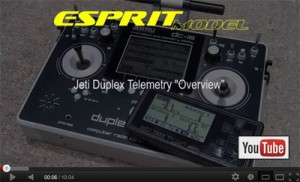
This week we cross the major milestone, the Duplex DC-16 radio systems and R7/9/11 receivers passed initial software FCC testing. The next step for us will be the SAR (Specific Absorption Rate) test, which measures limits of safe exposure to radiofrequency (RF) energy and final USB PC peripheral connection test. We are expecting to have final FCC approval in next few weeks. In meant time please stay tuned, we will be posting our progress.

(Full Story)

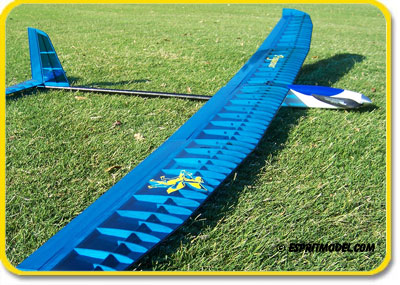
This is How People Like Pegasus 2E

Pegasus 5 Months Later

Paul Murphy (Pittsfield, MA) 9/12/2012

Okay. I wrote a review after flying the Pegasus a few times and was very pleased by it’s performance. Now, after a summer of flying, I’m still just as pleased.

Pegasus first impressions

Iain (Unknown) 8/12/2011

I purchased this model as an addition to my ALES stable. I flew it today for the first time and it is GREAT. It floats and indicates lift VERY well. With a ‘crow’ setup it comes down very controlably, and it is a pleasure to fly and land. The construction is a little different, and I would recommend that the boom, with the vertical, horizontal, and pushrods are assembled first, then finish the pod, with the exception of locating the servo tray.

Buy Here

New 1.05 Jeti DC/DS-16 Software Update

The new 1.05 software has been released for DS/DC-16 radios. We already added all changes to the manual.

Update version 1.05 changes the way that the “Switch delay” for switches that are assigned to enable or disable mixes is applied. Please carefully check all your mixes that have some programmed “Switch delay”.

 ALWAYS backup your models and settings before performing any update.

 New Features:
1. Added throttle limiter for helicopters (see notes).
2. Modified Butterfly menu: elevator compensation is available with an additional curve. Added options for aileron differential adjustment and butterfly offset. (see notes)
3. Jetibox display and controls are now available on the main screen.  You first must enable the display for the Jetibox window on your desktop (telemetry display menu).  With the Jetibox window shown, press the ESC button to use the F1-F4 buttons for Jetibox control.
4. Wireless modes are indicated on the main screen (Student, Teacher and Double Path).
5. In Sensors/Timers->Alarms added optional Activation Switch that enables or disables an appropriate alarm.

http://www.jetimodel.cz/data_downloads/121/releasenotes_en.pdf
http://www.jetimodel.cz/data_downloads/120/dc16v1.05.zip